Google Ad Manager is a free, useful tool to manage your ads placement effectively and maximizing the revenue from your website. It has intuitive user interface, automated yield optimization, and proven speed and reliability.
You can control what types of ads to be display in a section such as you can display Adsense and your own ads on the same spot. It will filter the based on the criteria and inventory type you have set in Google Ad Manager account so that you can save more time on your ad management solution and give more time to focus on advertisers.
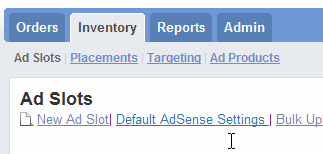
Ad Manager helps publishers maximize their inventory sell-through rates. Don’t worry about the complication of the account setup process as Google provide a simple tutorial with step by step instructions. You can either choose to follow the tutorial or simply close it.
Google Ad Manager is best for website owner who have a lot of banners and ad spots from advertisers selling at your website. You will have complete control of the ads placement and configurations. There are three types of Reports available for you
Delivery Reports – View performance of orders and ad networks
Inventory Reports – Monitor ad slot and placement performance
Sales Reports – Keep track of sales performance
Although, Google Ad Manager still in Beta stage and there could be more improvements to be added. Let see what it do more for Website Ad Management in the future.
You can control what types of ads to be display in a section such as you can display Adsense and your own ads on the same spot. It will filter the based on the criteria and inventory type you have set in Google Ad Manager account so that you can save more time on your ad management solution and give more time to focus on advertisers.
Ad Manager helps publishers maximize their inventory sell-through rates. Don’t worry about the complication of the account setup process as Google provide a simple tutorial with step by step instructions. You can either choose to follow the tutorial or simply close it.
Google Ad Manager is best for website owner who have a lot of banners and ad spots from advertisers selling at your website. You will have complete control of the ads placement and configurations. There are three types of Reports available for you
Delivery Reports – View performance of orders and ad networks
Inventory Reports – Monitor ad slot and placement performance
Sales Reports – Keep track of sales performance
Although, Google Ad Manager still in Beta stage and there could be more improvements to be added. Let see what it do more for Website Ad Management in the future.


No comments:
Post a Comment